New: Nearby
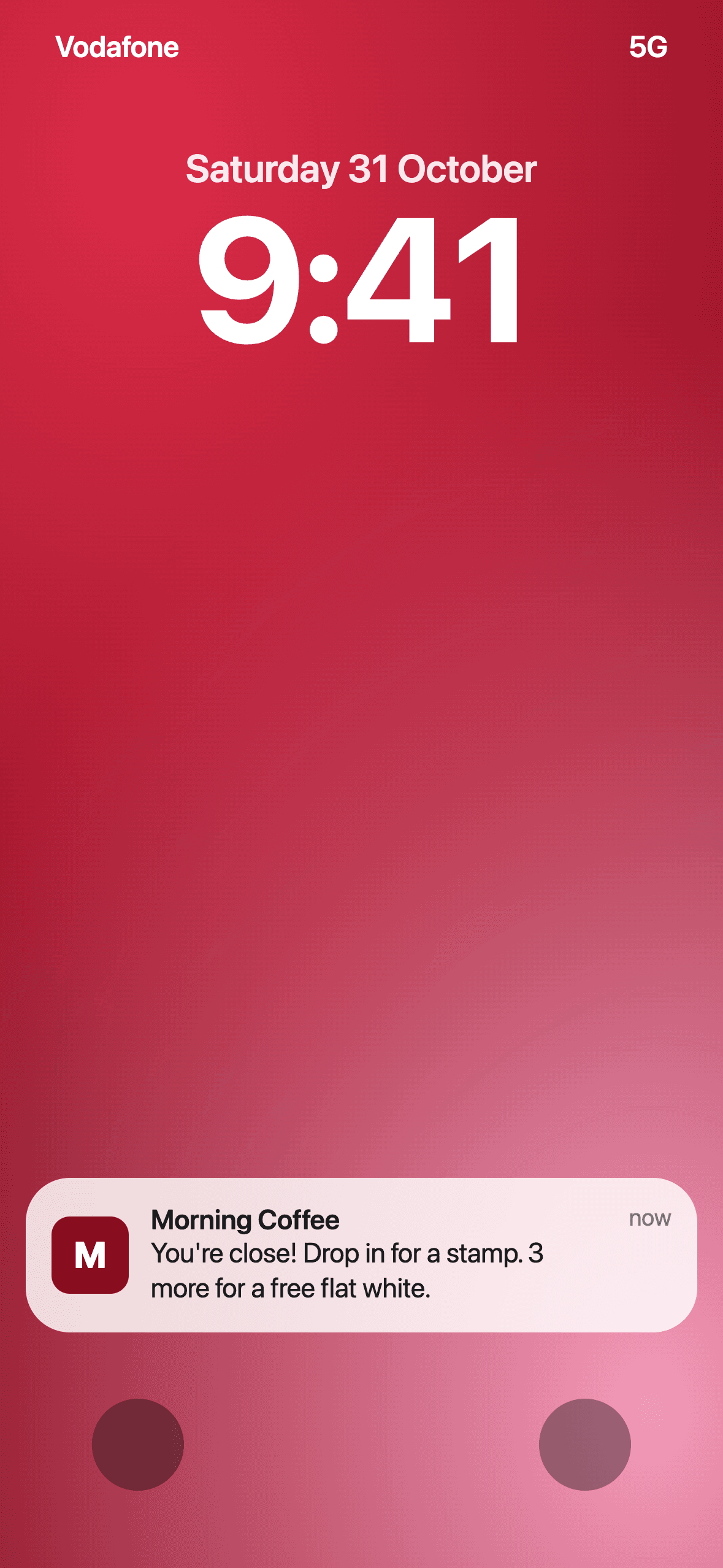
They walk past. Your card pops up.
A loyalty card that lives in your customers' Apple or Google Wallet and shows up on their lock screen when they're near your venue. They join with one tap at your counter. No app, no paper.
Why Kuppo
Paper stamp cards get lost, forgotten or left at home. Kuppo keeps the card on your customer's phone, and brings it up when they walk by.
They walk past.Your card pops up.
The best reminder to come back is the one they see right outside your door. Kuppo puts your loyalty card on your customer's lock screen when they're near your venue.
- 01
Set your spot once
Tap “Use my current location” in your settings while you're at your venue. That's it.
- 02
Your card on their lock screen
When a customer with your card in Apple Wallet or Google Wallet is close by, their phone brings it up.
- 03
Your words on iPhone
Write the line they see, like “You're close! Drop in for a stamp.” Or let Kuppo show how close they are to their reward.
Apple and Google decide exactly when the card appears. On Android, customers need location access on for Google Wallet.
From the counter to a full card
- Step 1
Tap or scan
Customers tap the NFC chip or scan the QR code on your counter.
- Step 2
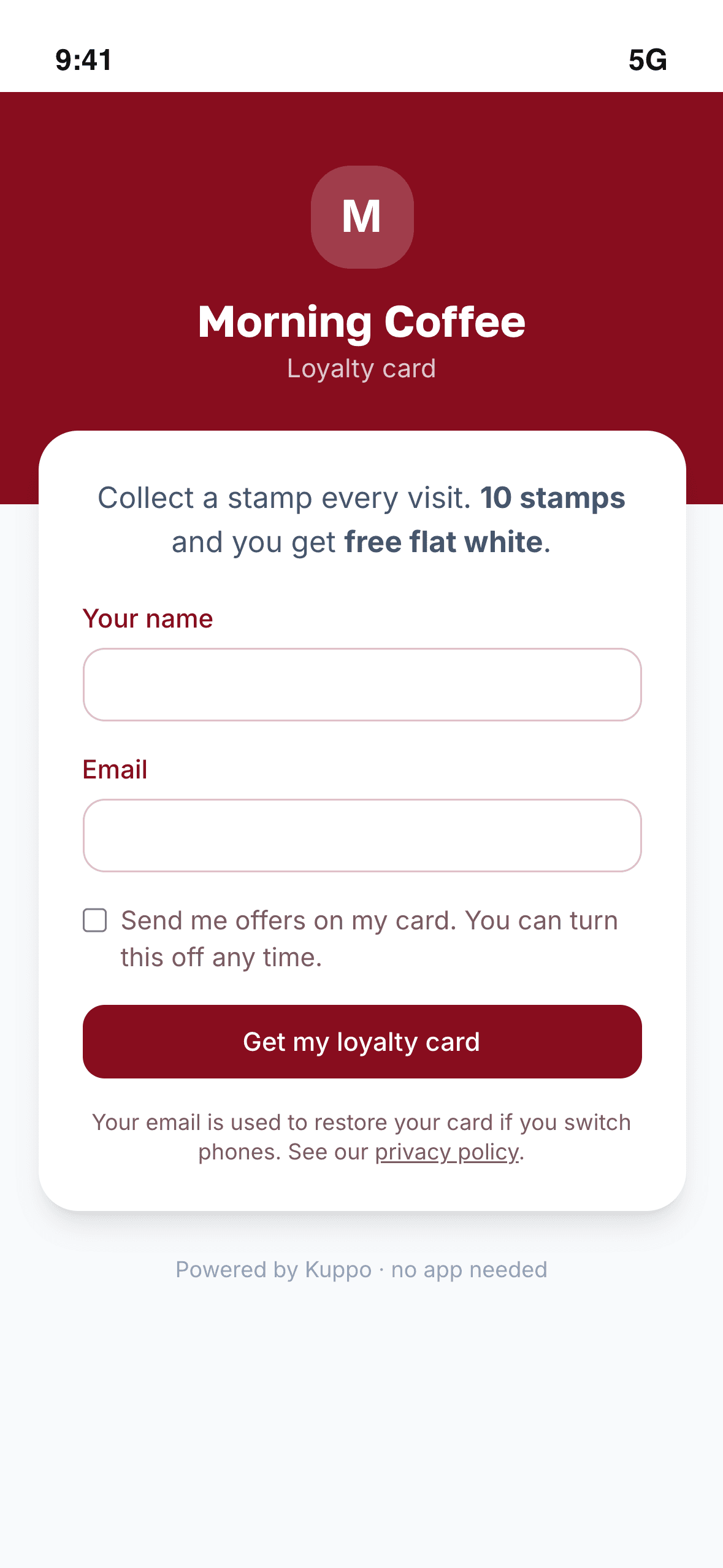
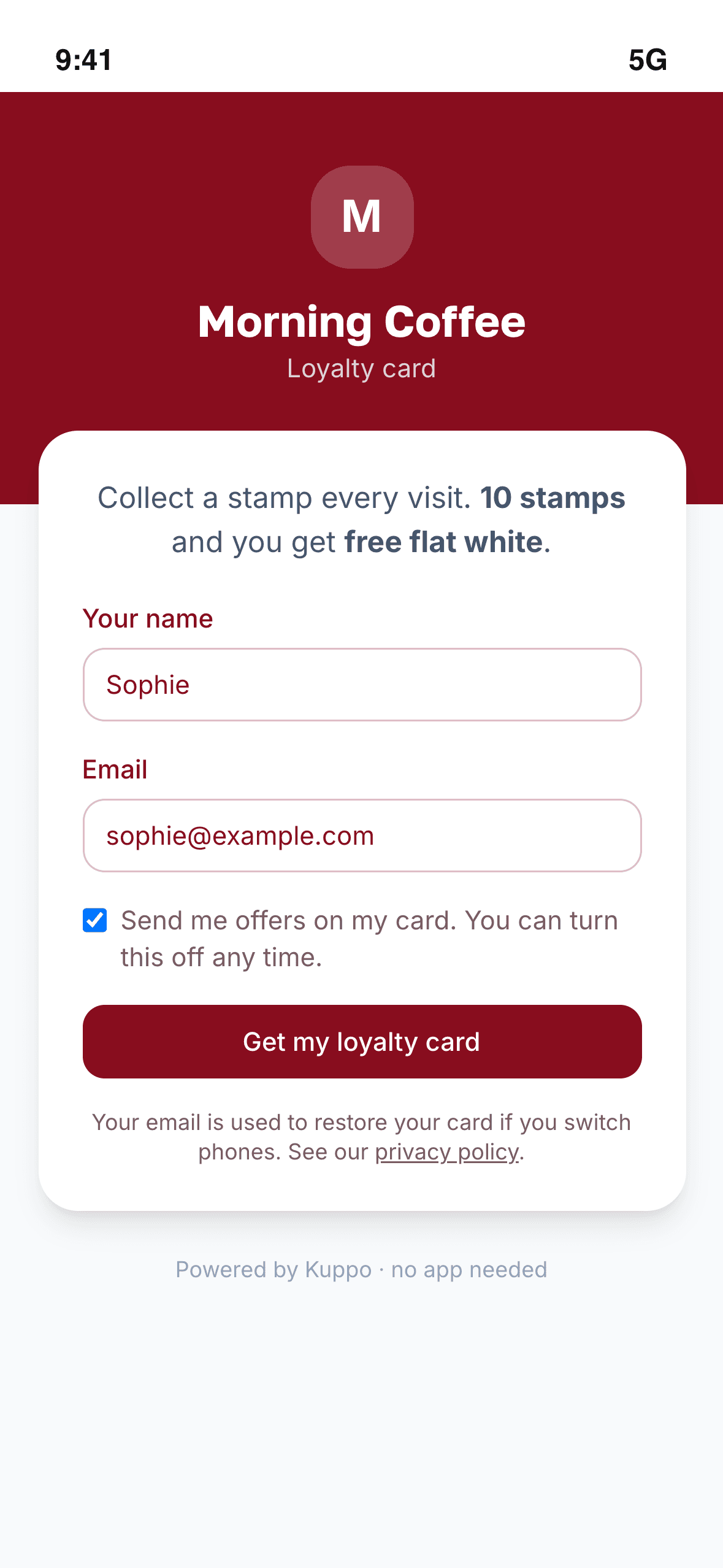
Join with name and email
A short sign-up in your colours. Nothing to download.
- Step 3
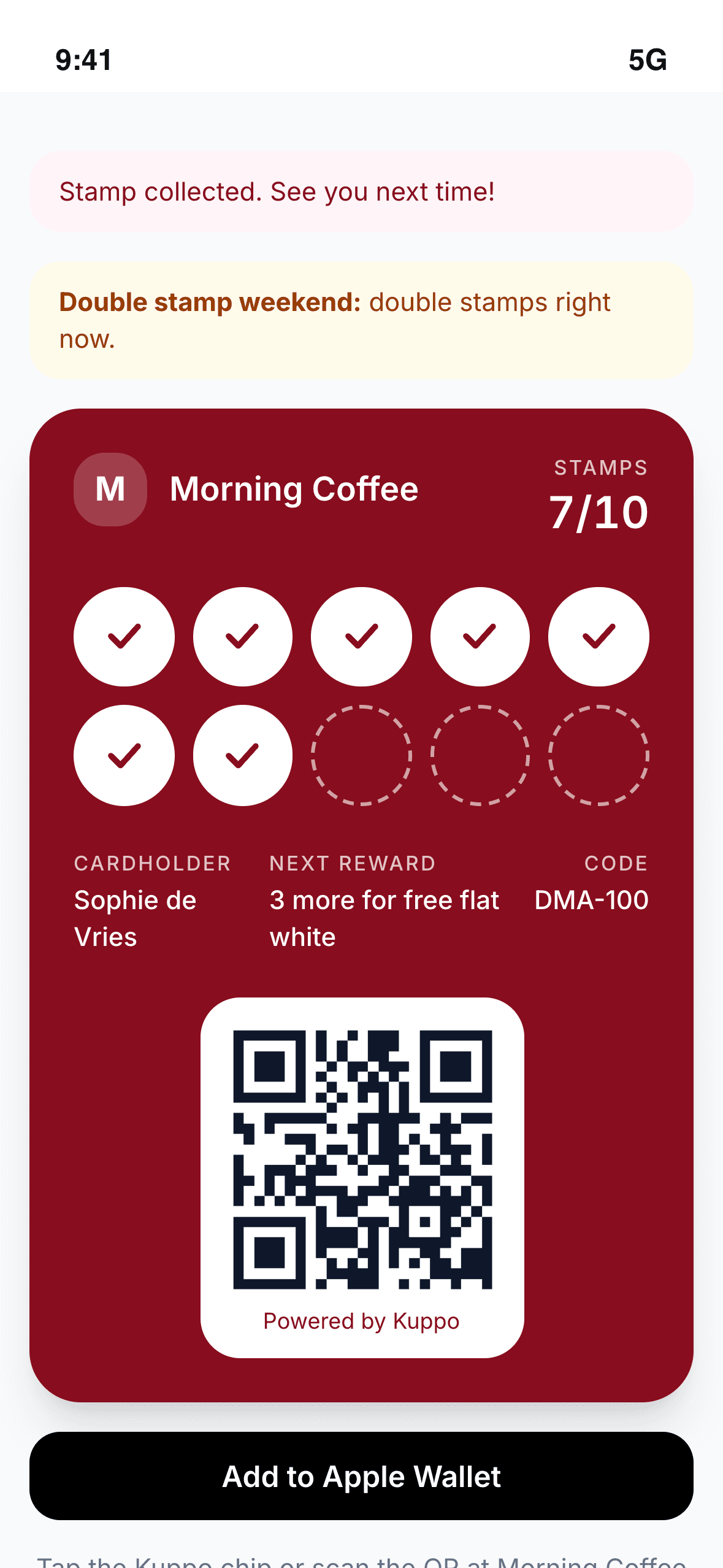
Stamp every visit
Customers stamp their own card each visit, with a cooldown in between. Staff can scan it instead if you prefer.
- Step 4
Unlock the reward
A full card unlocks the reward you chose.
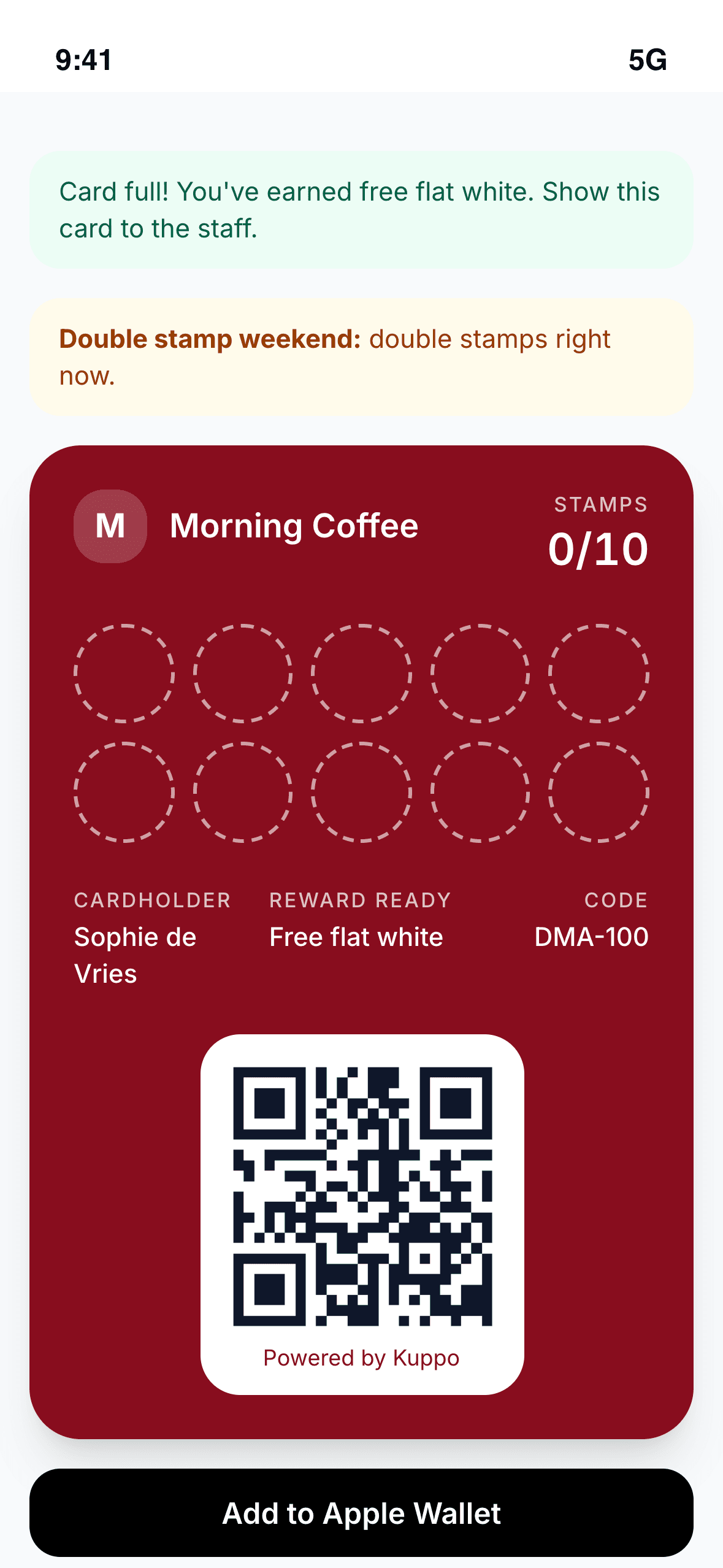
All of a stamp card, none of the paper
Nearby on the lock screen
Your card pops up on their lock screen when they're close to your venue.
Apple Wallet and Google Wallet
Customers save their card to their wallet. The pass updates itself on every stamp.
Self-stamping with a cooldown
Customers stamp their own card at your counter. A cooldown stops repeat stamps.
Staff scanner
Rather stamp cards yourself? Staff scan the customer's card from the dashboard.
Owner dashboard
Set up your card and follow how it's doing with stats on your dashboard.
Your reward, your colour
Choose the reward, how many stamps a card needs and the colour of your card.
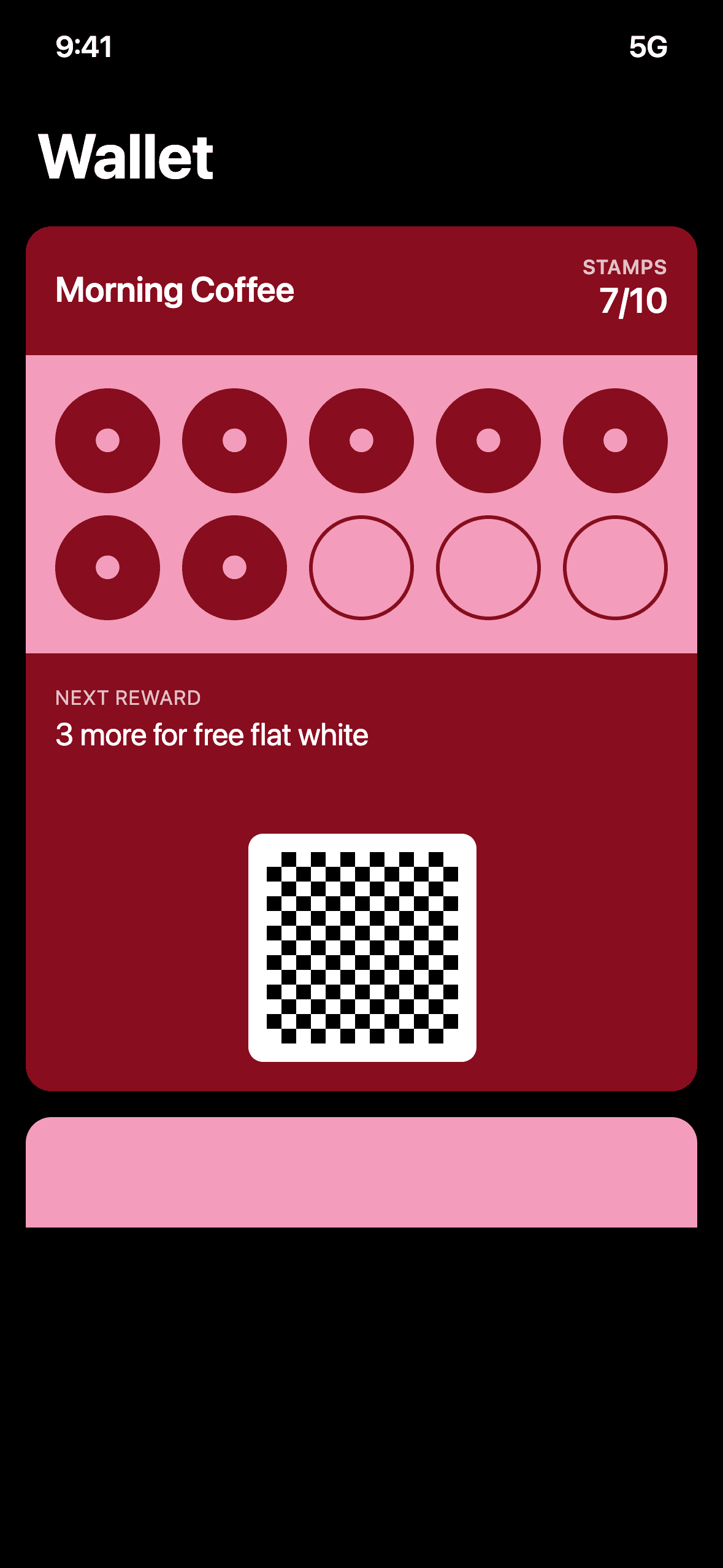
Run it from your dashboard
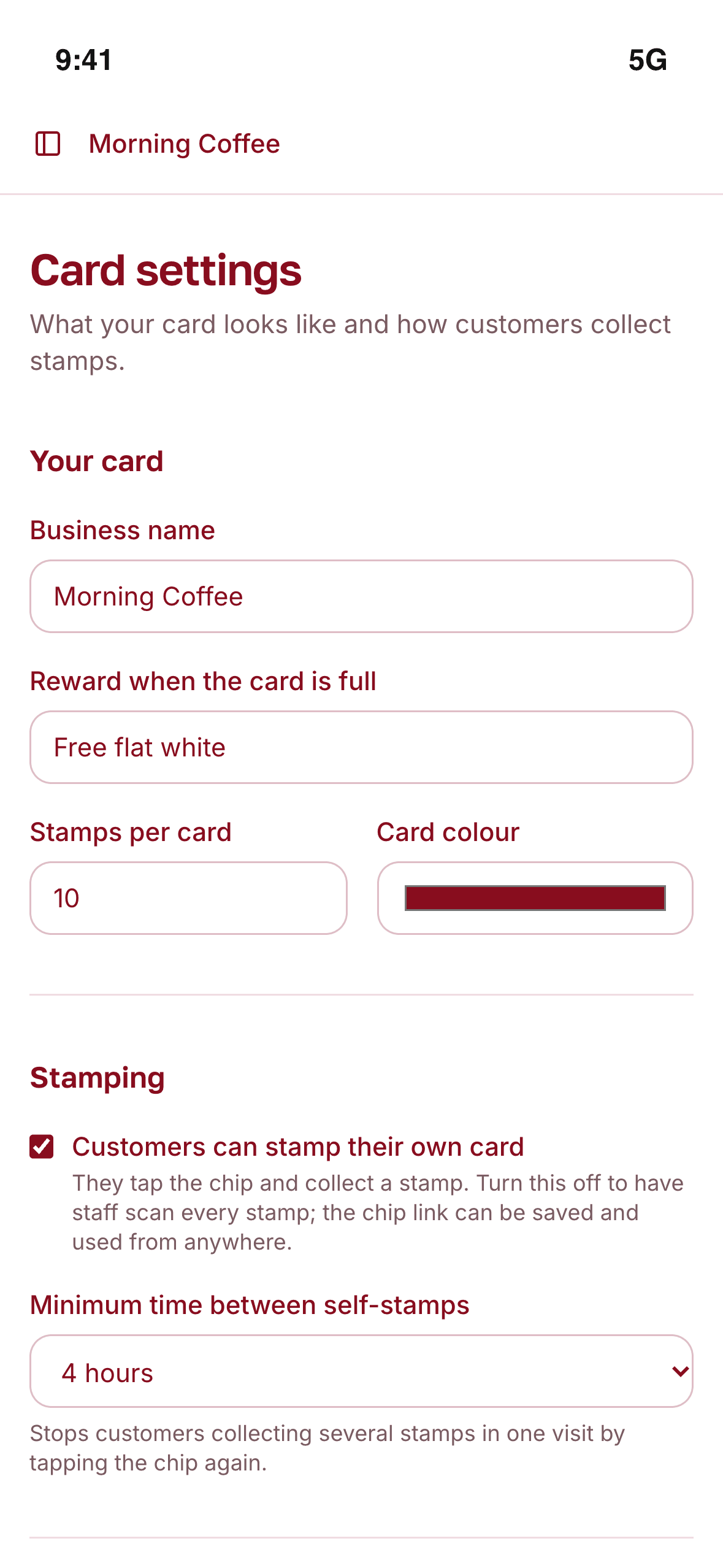
Set up your card
Sign up, then choose your reward, how many stamps a card needs and your colour. Put the chip or QR code on your counter and you're ready.
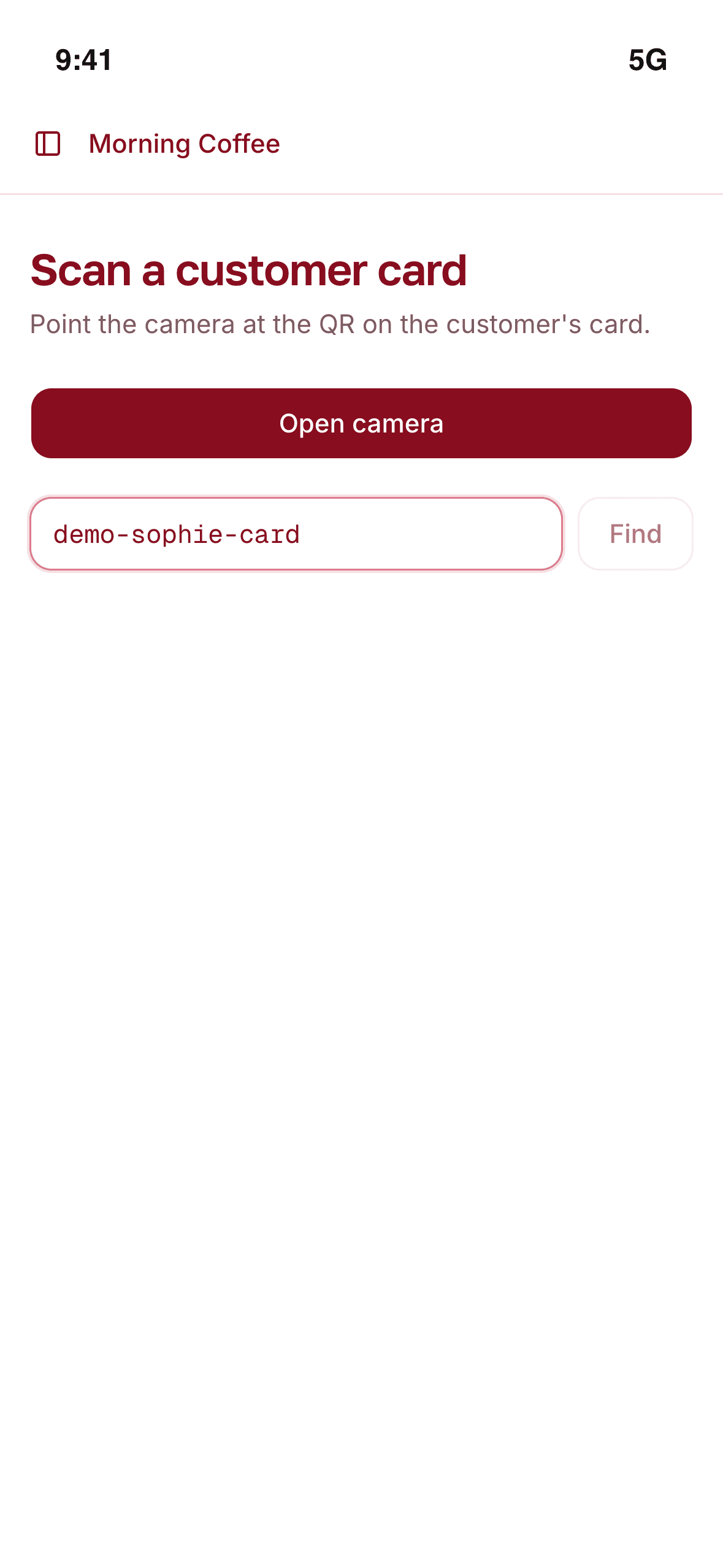
Scan cards at the till
Customers can stamp their own cards, but you don't have to rely on that. Staff can open the scanner and stamp a card by scanning it.
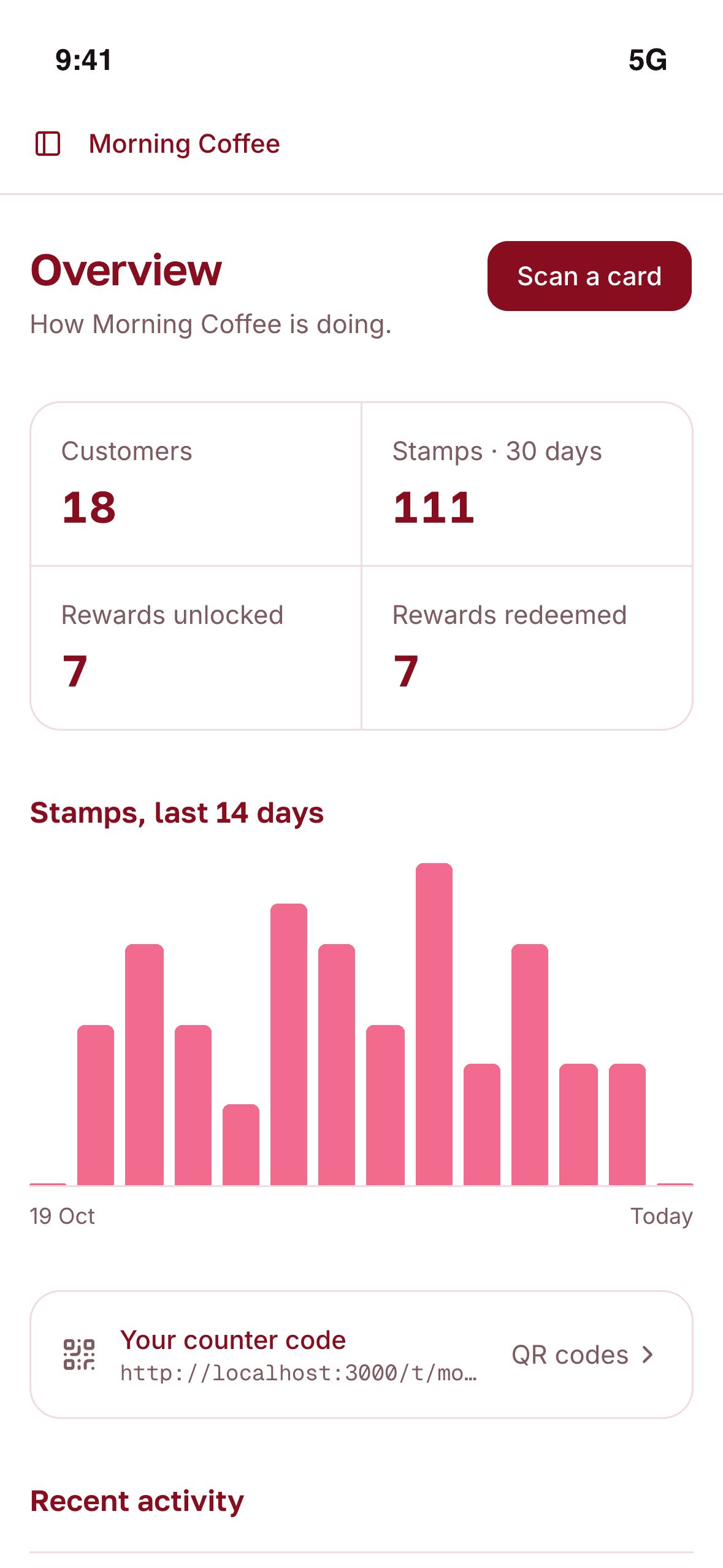
See how it's going
See who comes back, who is slipping away and what your promotions bring in. Then send a message to the right group.
Free during early access
Early access
Kuppo
Everything Kuppo does, free while we're in early access.
Freeno card required
- Your own digital stamp card
- Joining by NFC chip or QR code
- Customer self-stamping with a cooldown
- Staff scanner
- Apple Wallet and Google Wallet passes
- Lock-screen messages and Nearby
- Customer groups, analytics and promotions
- Staff logins
Got questions? Here are the answers.
No. They tap your NFC chip or scan your QR code, join with their name and email, and their stamp card opens on their phone. They can also add it to Apple Wallet or Google Wallet.
Set your venue's location in your settings. When a customer who saved your card to Apple Wallet or Google Wallet is close to your venue, their phone shows the card on the lock screen. Apple and Google decide exactly when it appears, and on Android the customer needs location access on for Google Wallet.
They stamp their own card at your counter on each visit, with a cooldown between stamps. Your staff can also stamp a card by scanning it, and you can make that the only way.
A full card unlocks the reward you set. The card starts again, and staff mark the reward as used when they hand it over.
Your reward, how many stamps a card needs, the colour of your card, and whether customers can stamp their own card or staff scan every stamp.
Yes. Apple Wallet and Google Wallet passes update themselves on every stamp.
Kuppo is free during early access, and you don't need a card to sign up.
Turn first visits into regulars.
Start your Kuppo card today.
Free during early access. No card required.